Resources Help Center
Python
This course uses Python 3. The main Python website contains links to downloads and documentation. Here are some brief instructions:
- Download and install the latest version of Python 3:
http://www.python.org/download. (Please do not install Python 2: you need Python 3.)
- Linux users: use your package manager to install Python 3.
- Windows users: choose the "Python 3.3.2 Windows x86 MSI Installer" from the downloads page.
- Mac users: choose the "Python 3.3.2 Mac OS X 64-bit/32-bit x86-64/i386 Installer" from the downloads page, unless you have OS X version 10.5 or earlier.
- OS X users only: install ActiveTCL 8.5.14.
The Python Standard Library contains descriptions of many Python features. It contains much more information than we will be able to cover in this course, and may seem overwhelming at first, but if you continue to program in Python after this course you'll find it useful.
The programming environment we use is IDLE, the software we use to write Python programs. IDLE comes with Python.
The Python Visualizer
We provide software that helps you visualize program execution. We introduce this in our week 2 video lectures.
- The Python Visualizer, written by Philip Guo.
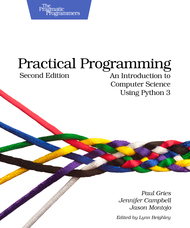
Textbook: Practical Programming
This course is intended to be self-contained. However, should you want more reading material with additional examples and exercises, our textbook follows the syllabus quite closely. You can choose to purchase an electronic version (PDF, ePub, mobi) instead of a paper book. The price for the electronic version is $25 USD.
Last Modified Wed 18 Sep 2013 5:06 AM PDT